

To apply for the Minneapolis Foundation Economic Response Fund and/or Salt Cure Fund, one must have an account with the Minneapolis Foundation.
Below is a PDF guide and video created by the Minneapolis Foundation:
Additionally, the Lake Street Council Business Engagement Team have found the steps below to be helpful in 1:1 assistance with applications. For support in your application, contact us at business@lakestreetcouncil.org
Navigate to: https://theminneapolisfoundation.my.site.com/Portal/s/
If you have an existing account, you can log in and apply. Most likely, you will need to click “Register” to create a new account.
Step-by-Step Instructions to Create an account with the Minneapolis Foundation
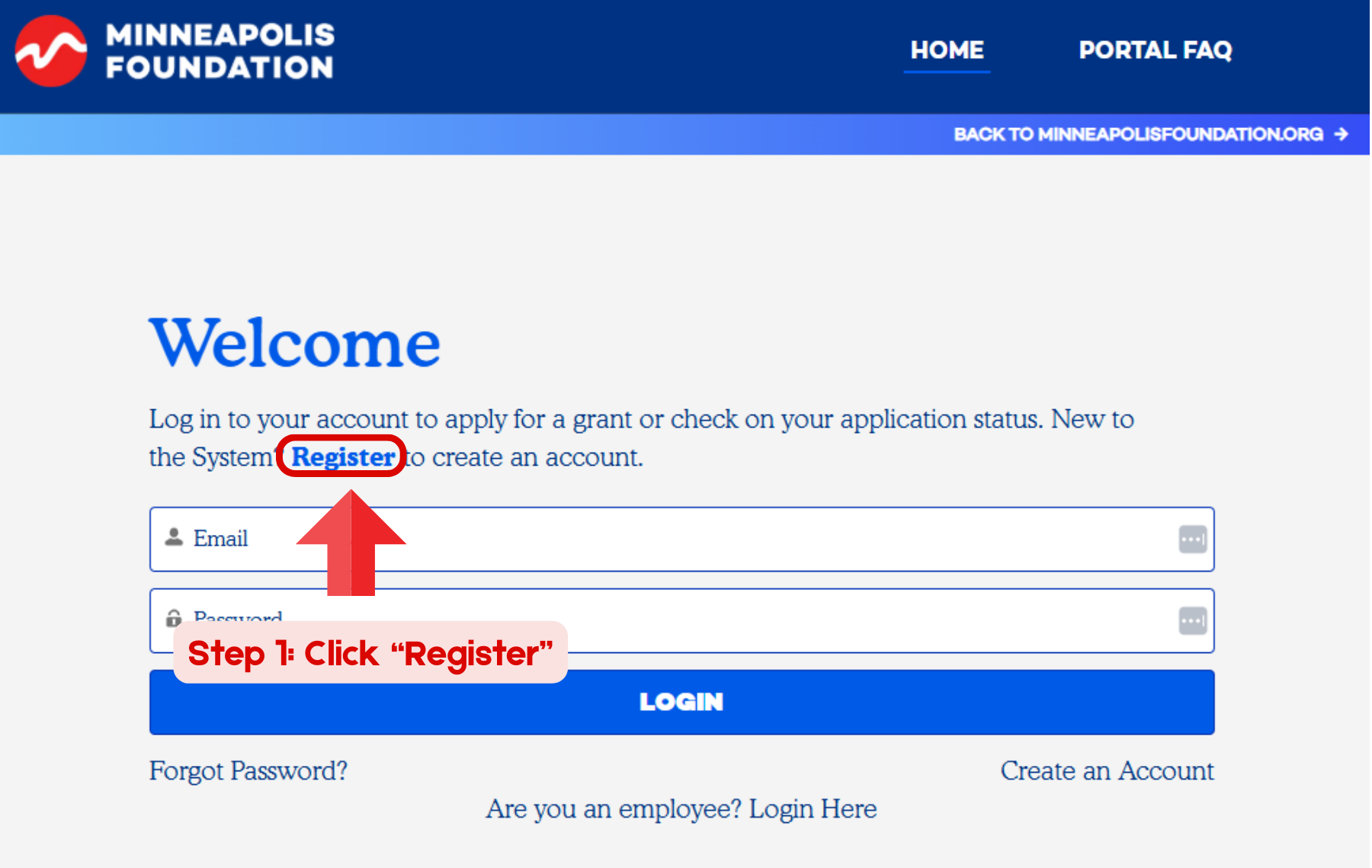
Step 1: Click “Register”
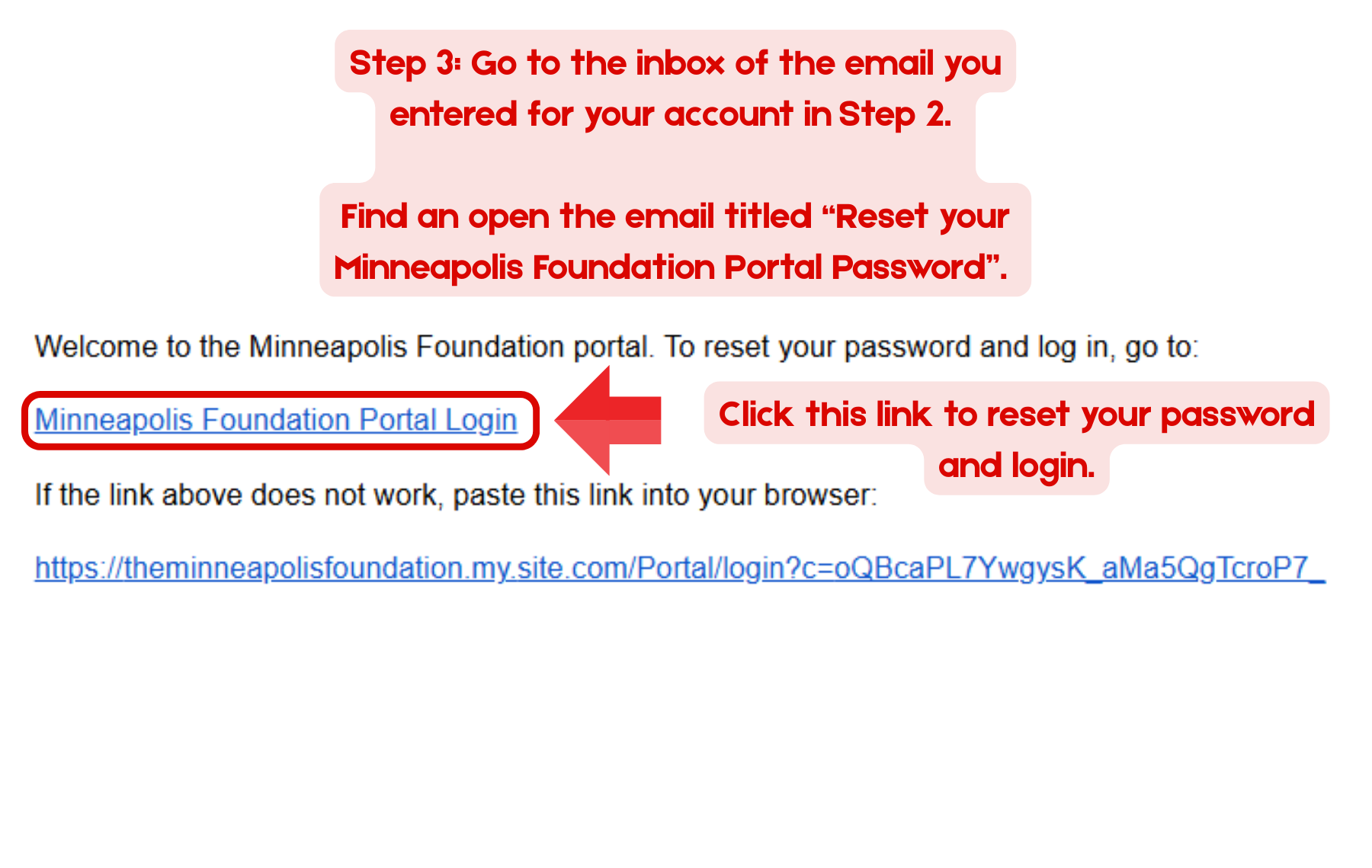
Step 3: Go to the inbox of the email you entered for your account in Step 2. Find an open the email titled “Reset your Minneapolis Foundation Password”. Click the link to reset/change your password.
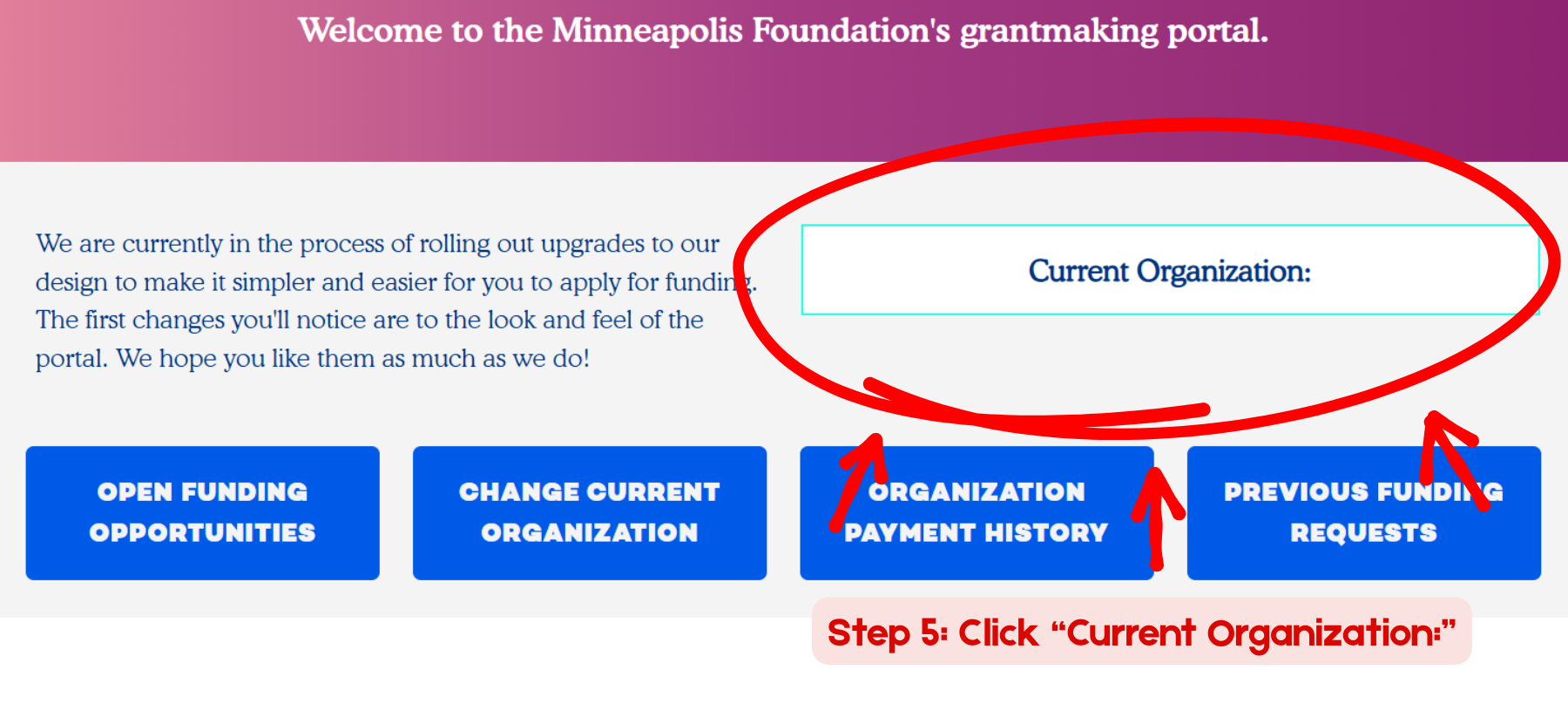
Step 5: Click “Current Organization:”
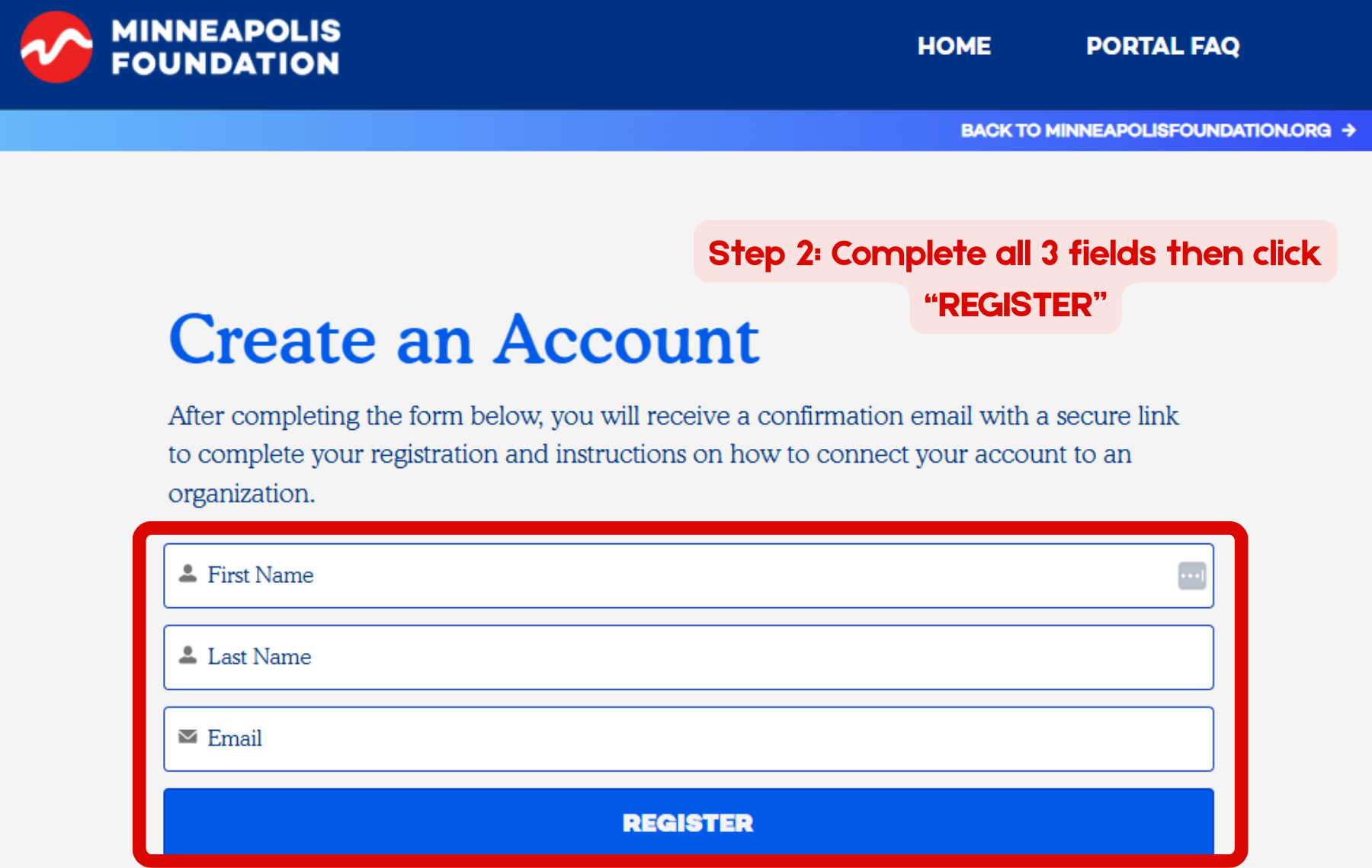
Step 2: Complete all 3 fields (First Name, Last Name, Email) then click the blue “REGISTER” button
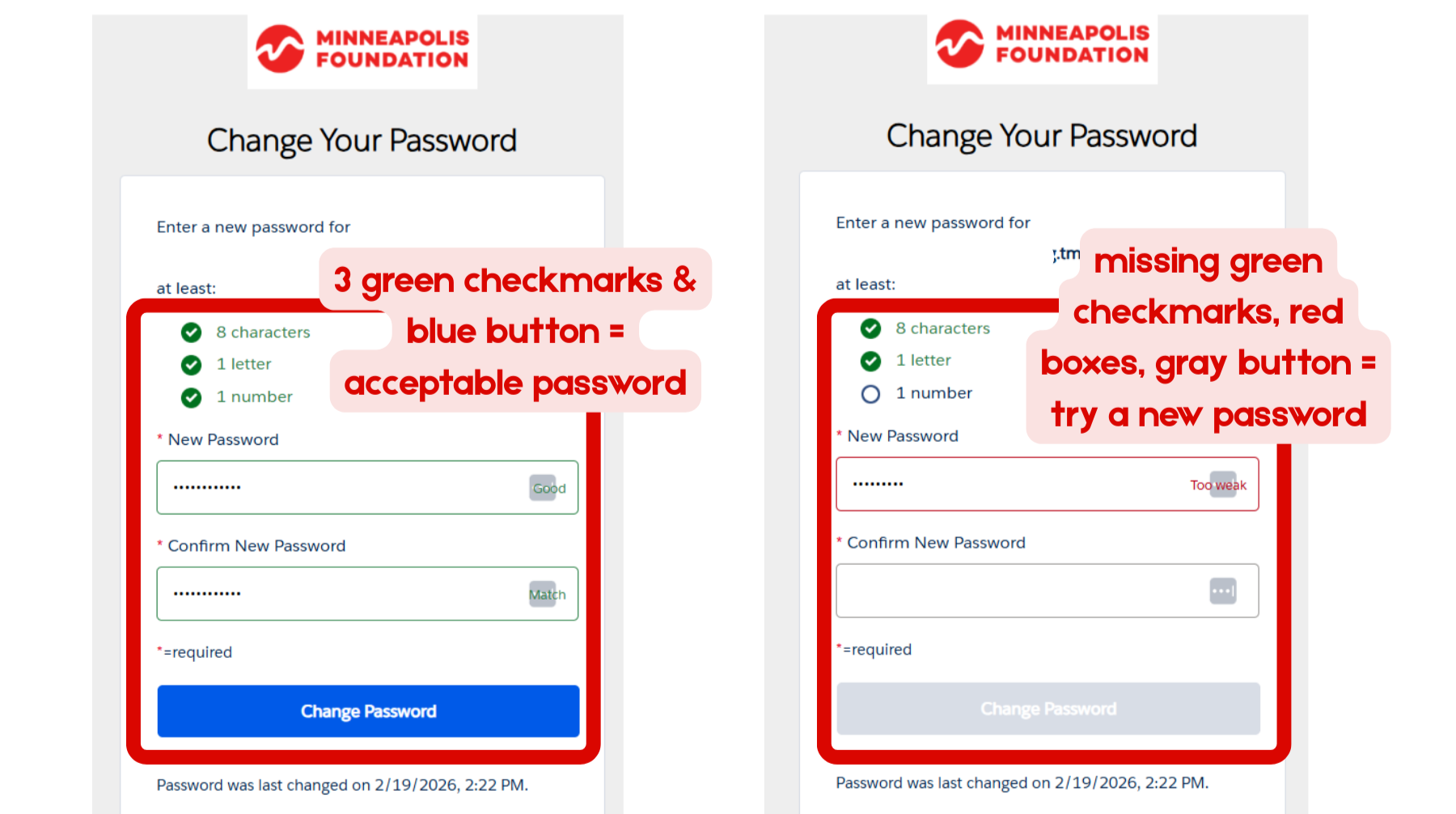
Step 4: Create a password. The requirements will turn green when the password you’ve typed in is acceptable. Type the new password in both fields then click “Change Password” to confirm. Write your password in a secure place where you will remember.
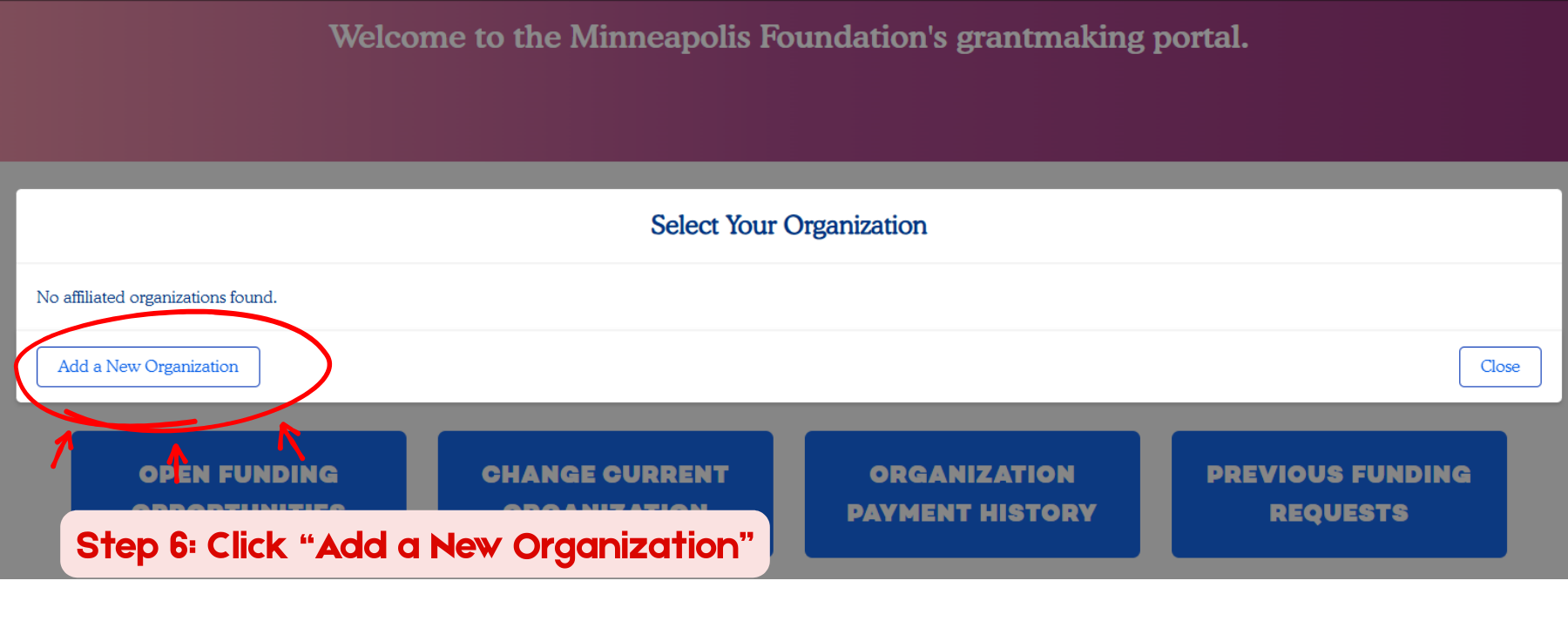
Step 6: Click “Add a New Organization”
Unless you have applied for funding through the Minneapolis Foundation in the past, you will need to “create a new organization”. You can search for your business under “Search for an organization” if you’re unsure.
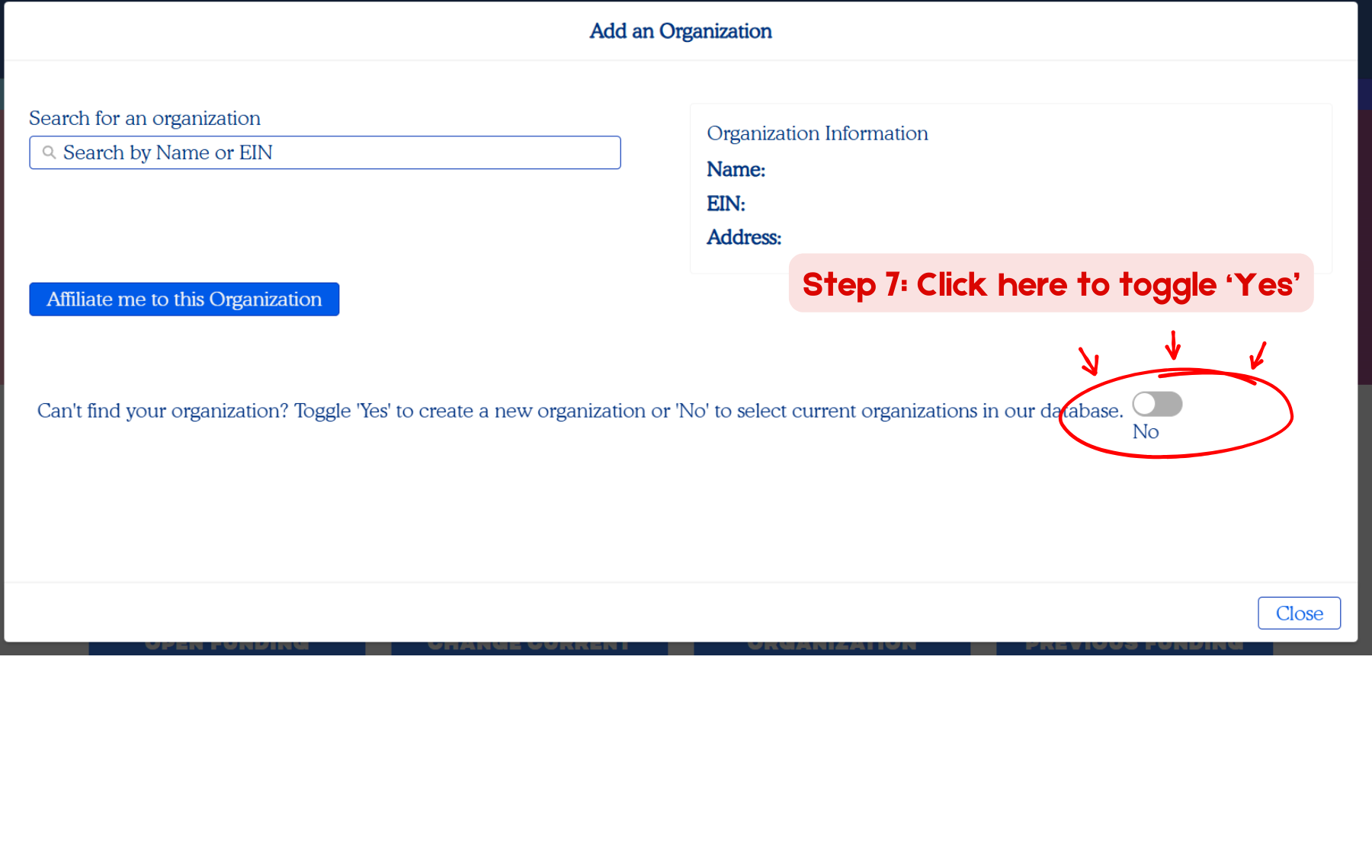
Step 7: Click here to toggle “Yes” to creating a new organization.
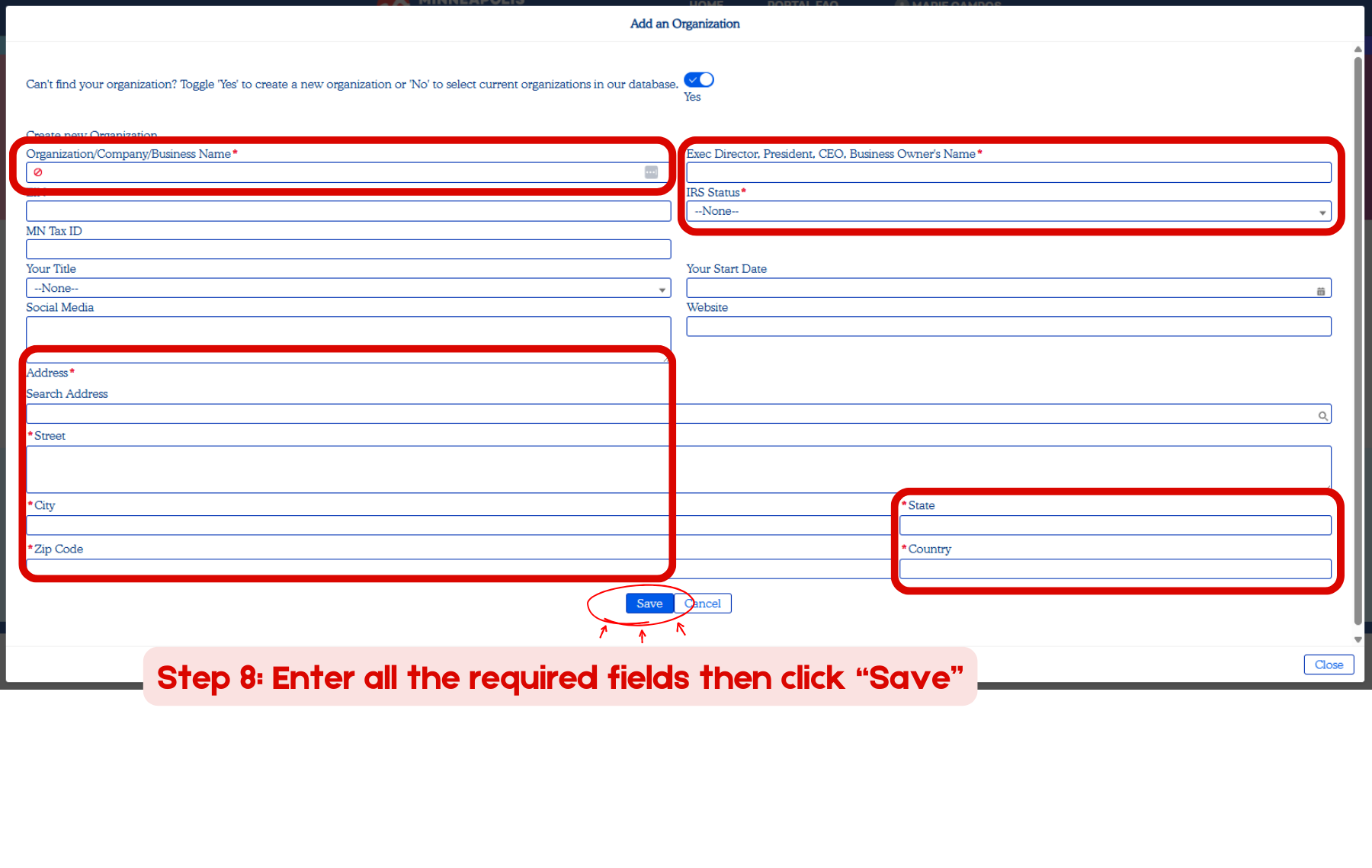
Step 8: Enter all the required fields marked a red * (asterisk) then click “Save”